Controls and Tests
See how the guardian maps its evidence and tests to six frameworks, and which requirements pass their tests. The tests run every hour, and a manager can also run them at any time.
- Where
- Audit › Controls and Audit › Tests
- Who
- Auditors and above
Before You Begin
Auditors and above can see everything in the Audit area. Managers can also run the tests, and admins set each test's owner and deadline. See Sign-In, Roles and Accounts.
The guardian supplies evidence. Whether a requirement is met is for your auditor to decide.
Frameworks
The guardian maps its records to these six frameworks:
| Framework | Edition | Mapped by |
|---|---|---|
| SOC 2 | Trust Services Criteria 2017, points of focus revised 2022 | Criterion, such as CC6.1 |
| ISO/IEC 27001 | 2022, Annex A | Control, such as 5.18 |
| APRA CPS 234 | Effective 1 July 2019 | Section |
| APRA CPS 230 | Effective 1 July 2025 | Section |
| ASD ISM | Guidelines as of 2026 | Guideline topic, such as cryptography |
| NIST SP 800-53 | Revision 5 | Control, such as AC-2(4) |
For each requirement, the mapping lists the evidence items and tests that support it. Each requirement's title summarises it in the guardian's own words. For the full text, read the framework itself.
The mapping is a starting point for your compliance owner to review and adopt. Check it against your own scope, and keep your own mapping wherever it differs. The mapping has a version number, and every evidence pack records which version it used.
The Audit Overview
Audit › Overview shows where you stand against the six frameworks.
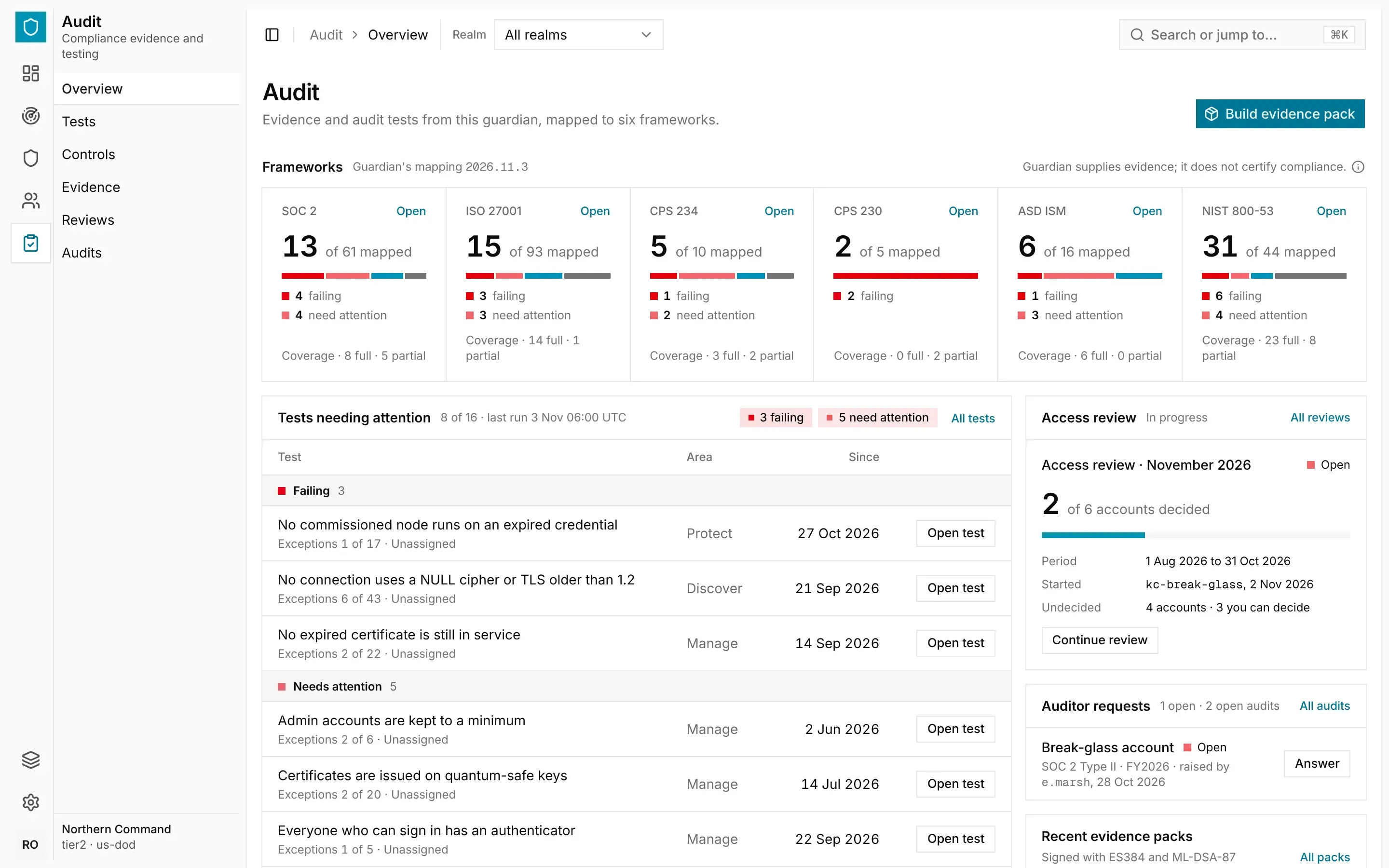
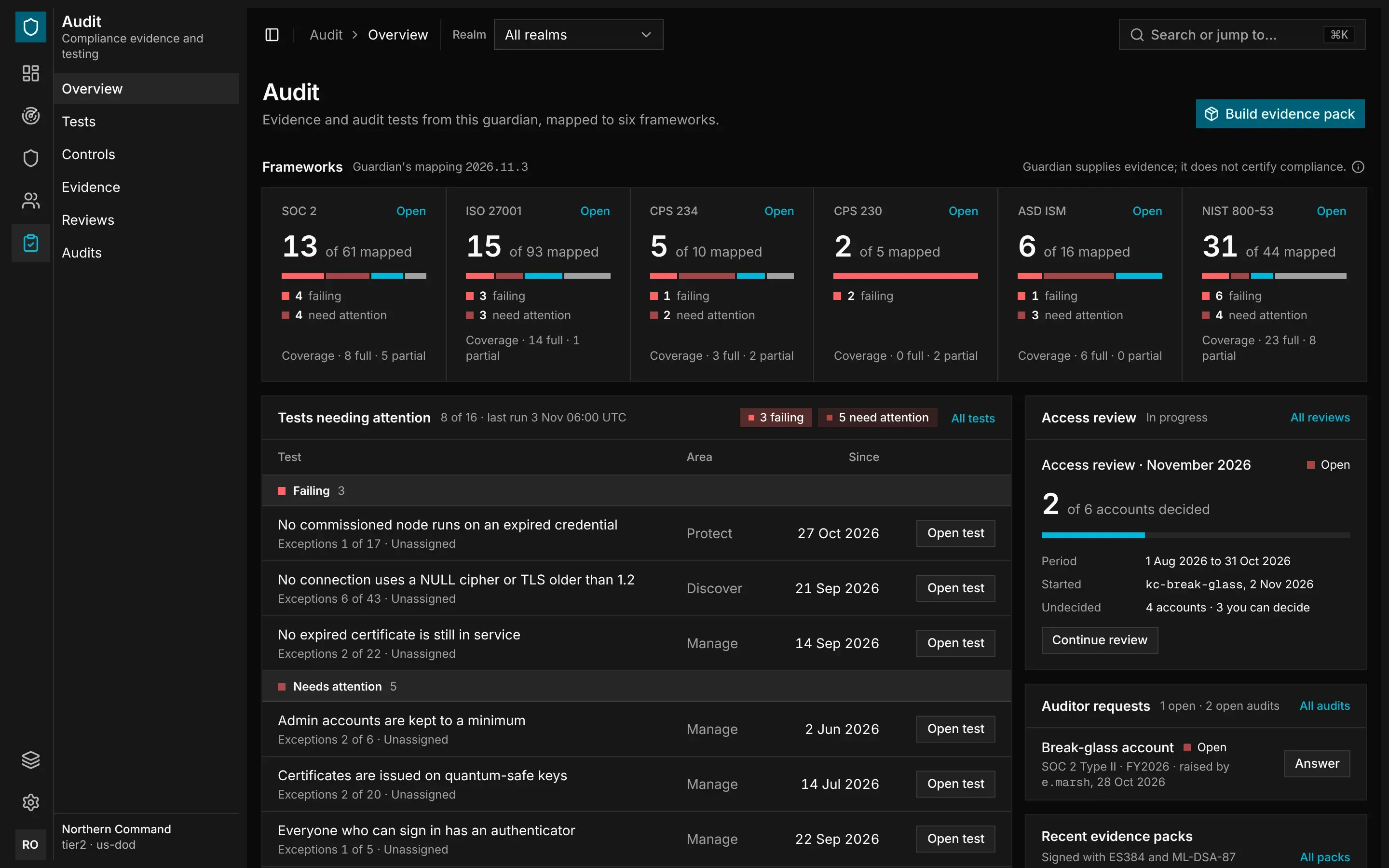
- Frameworks has a tile for each framework, counting its requirements by test status.
- Tests needing attention lists the failing tests and those that need attention, overdue ones first.
- Access review shows the review in progress, or the latest one.
- Auditor requests lists the requests waiting for an answer in open audits.
- Recent evidence packs lists the latest packs and the keys that signed them.
Reading the Controls
Open Audit › Controls and choose a framework: SOC 2, ISO 27001, CPS 234, CPS 230, ASD ISM or NIST 800-53. The tiles show the framework's edition, its requirements by test status and its coverage.
Tests
A test checks the guardian's own records against a statement that should be true. For example:
- No connection uses a NULL cipher or TLS older than 1.2.
- No node runs on an expired credential.
- Nobody changes their own access.
- Every certificate authority signs with ML-DSA.
On Audit › Tests, each test shows its status, area and exceptions, and how long it has had that status:
| Status | Meaning |
|---|---|
| Failing | The statement is not true, so the control is not working. |
| Needs attention | Someone should look at the result. A test also shows this status when it could not read one of its sources, so an unread source never counts as passing. |
| Passing | The statement was true for every item tested. |
| Not run | The test has not run yet. |
When Tests Run
The tests first run a minute after the API starts, and then every hour. The header of Audit › Tests shows when they last ran and when the next run is due.
To run every test straight away, a manager selects Run tests. Running the tests on demand does not change the hourly schedule.
Owners and Deadlines
An admin can name an owner for each test, and set how many days it may stay failing or needing attention. Set both in the Owner and Deadline columns, or in the test's details. A deadline can be from 1 to 365 days.
A test that passes its deadline is marked Overdue, and it appears under Needs attention on the console's Overview.
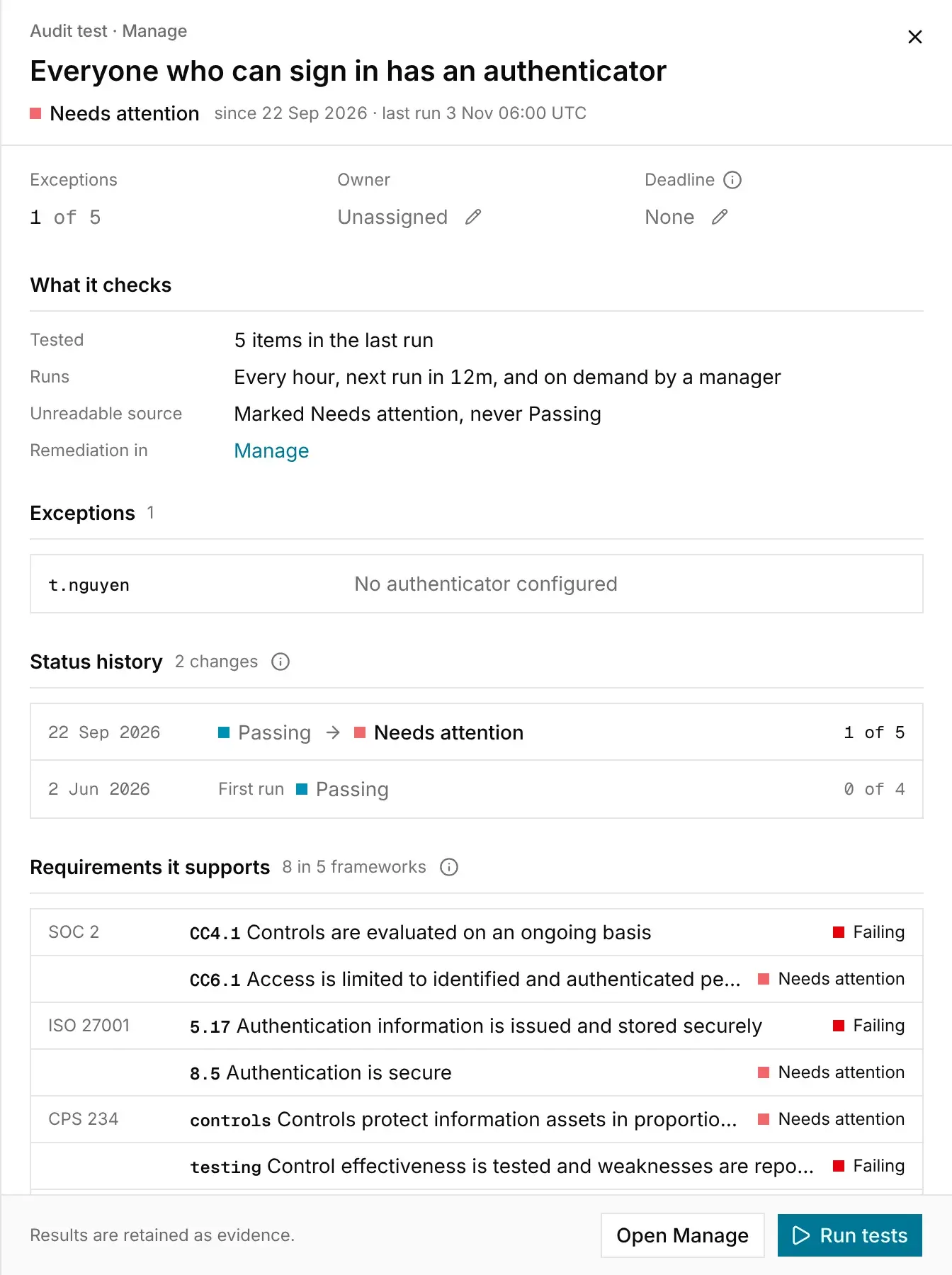
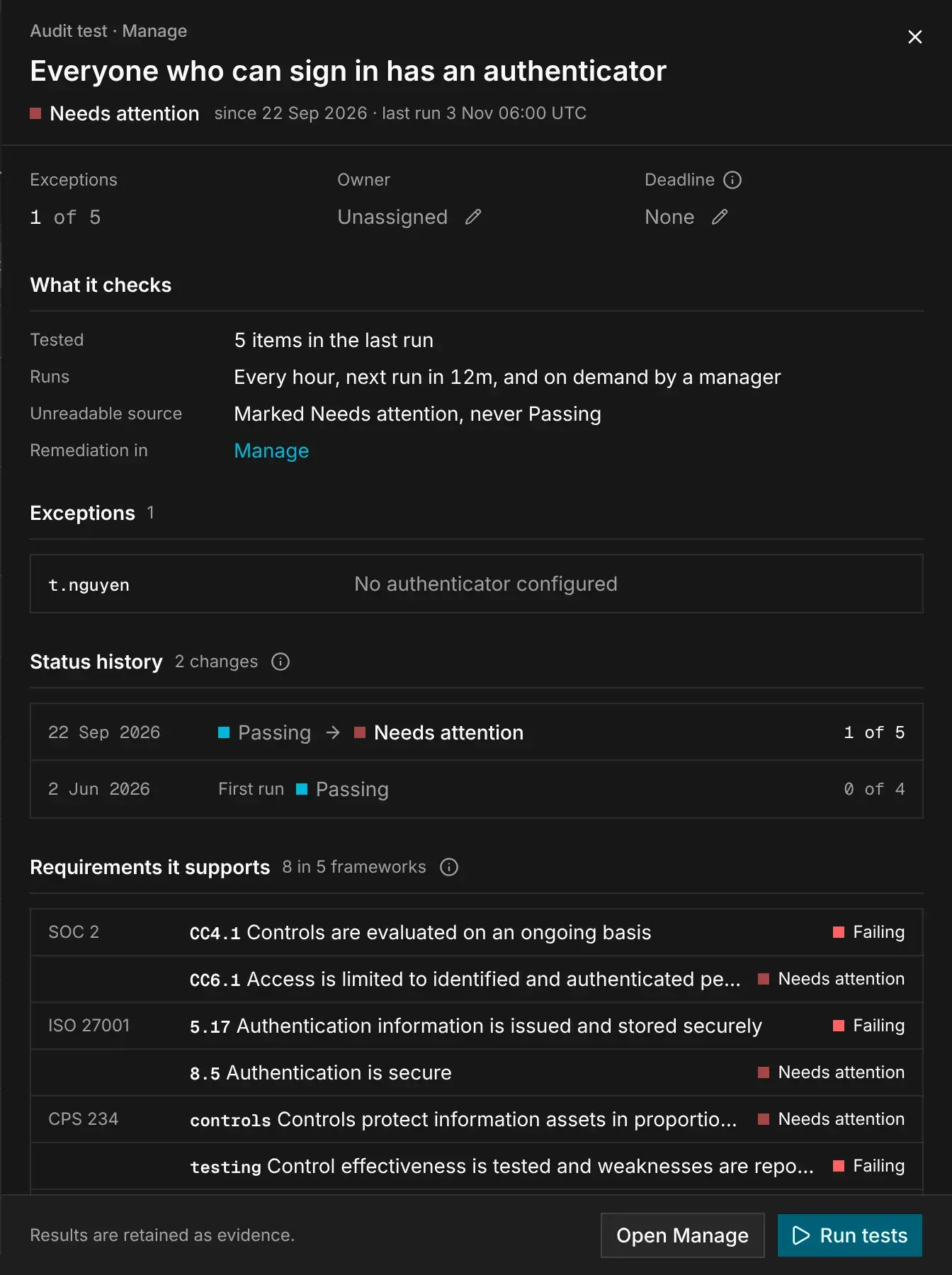
In the test's details, Status history lists each change of status, newest first. Because only changes are recorded, you can see exactly when each status began, however often the test runs. Requirements it supports lists the requirements the test counts towards.